Postknight: How do I redeem a code?
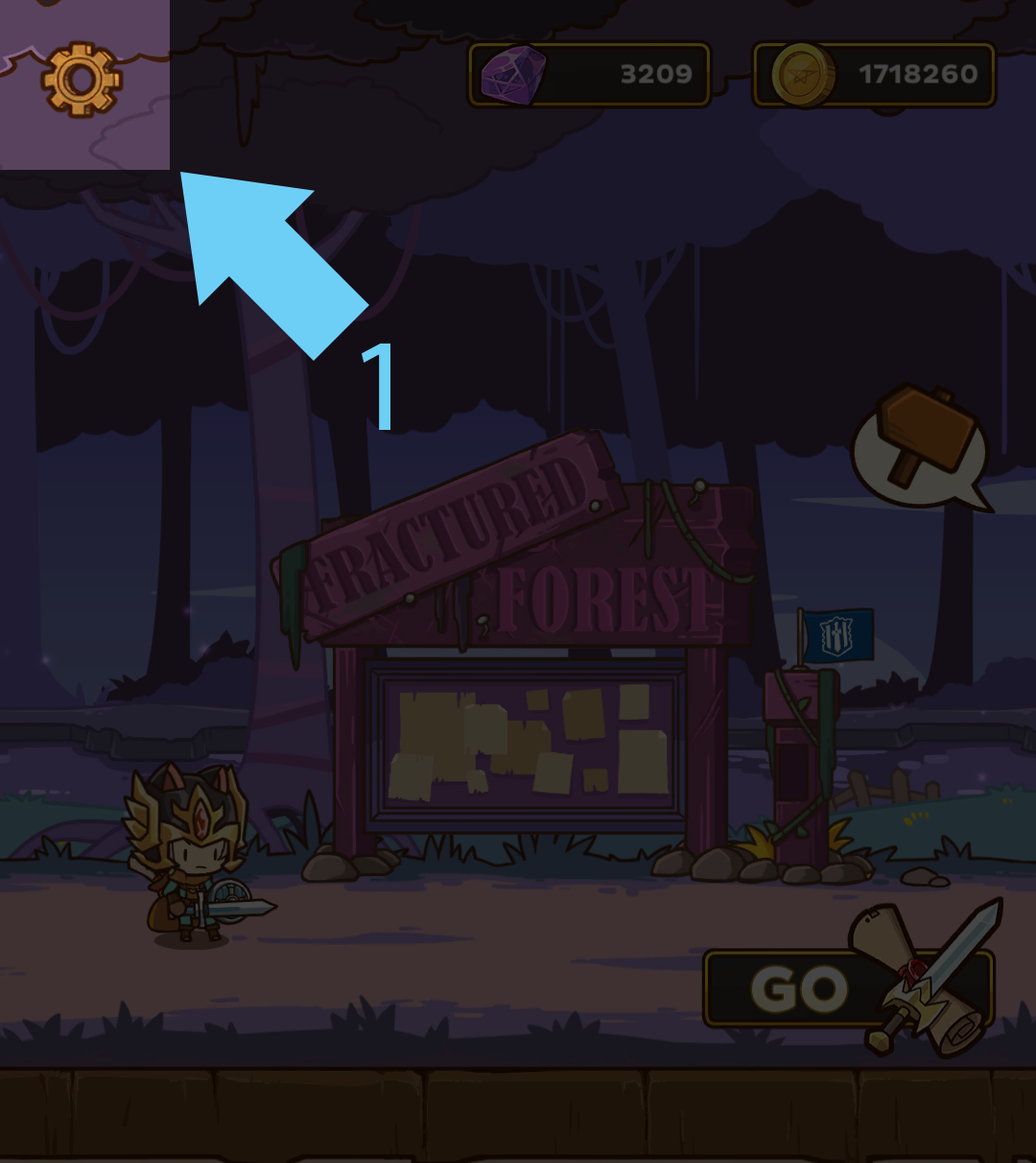
1. Tap on the Settings button in the top left corner.
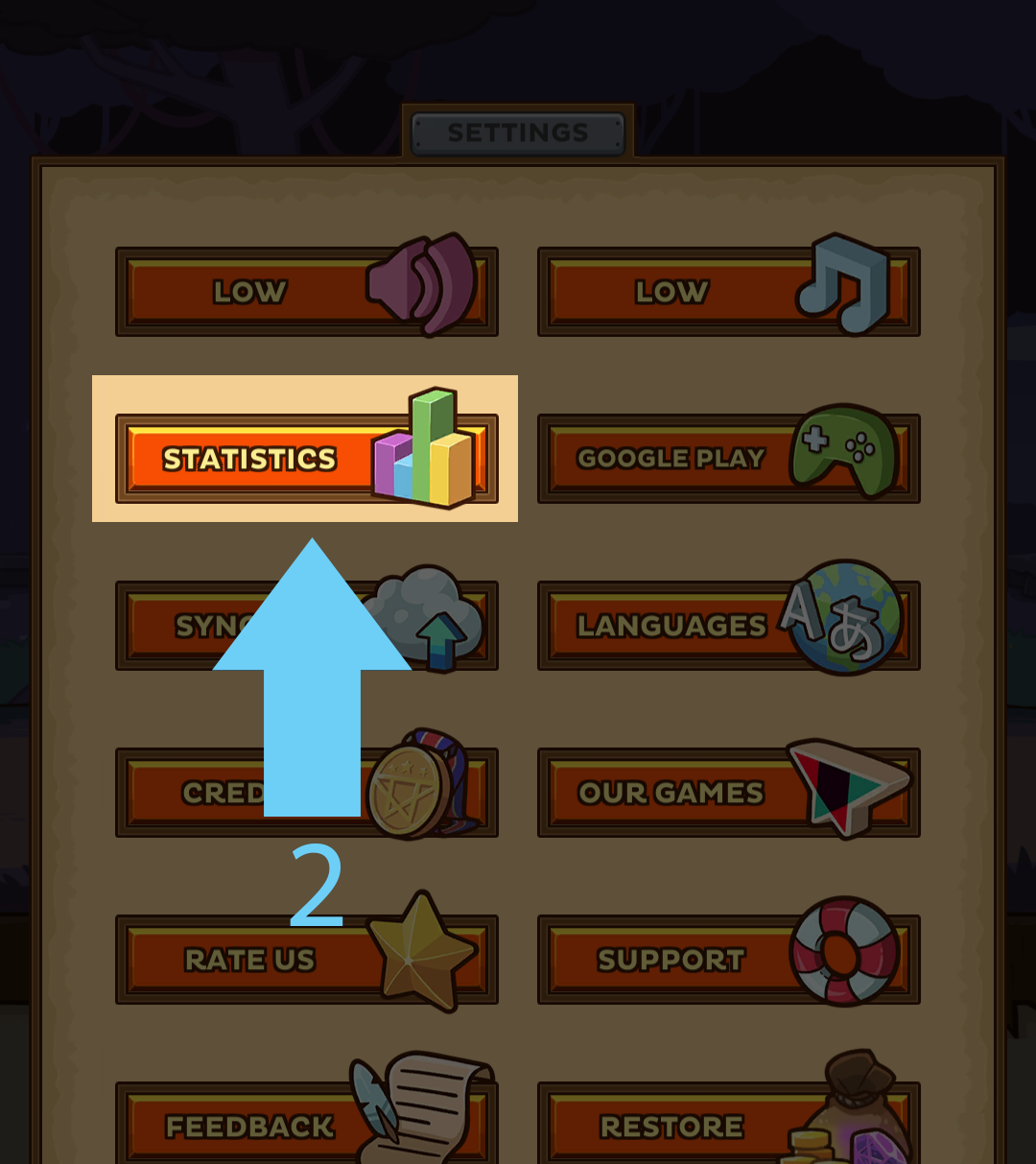
2. Tap on the Statistics button.
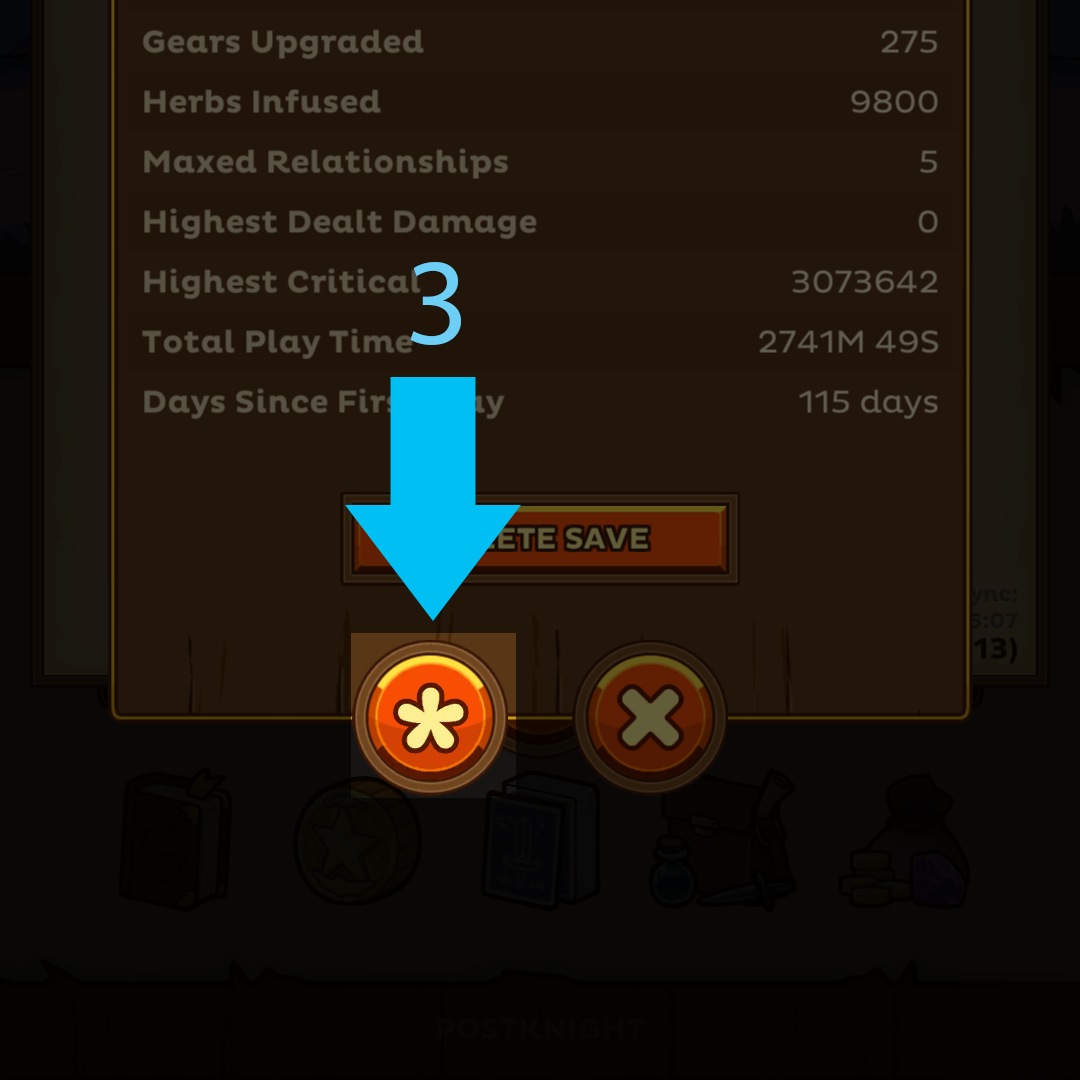
3. Tap on the Asterisk (*) button.
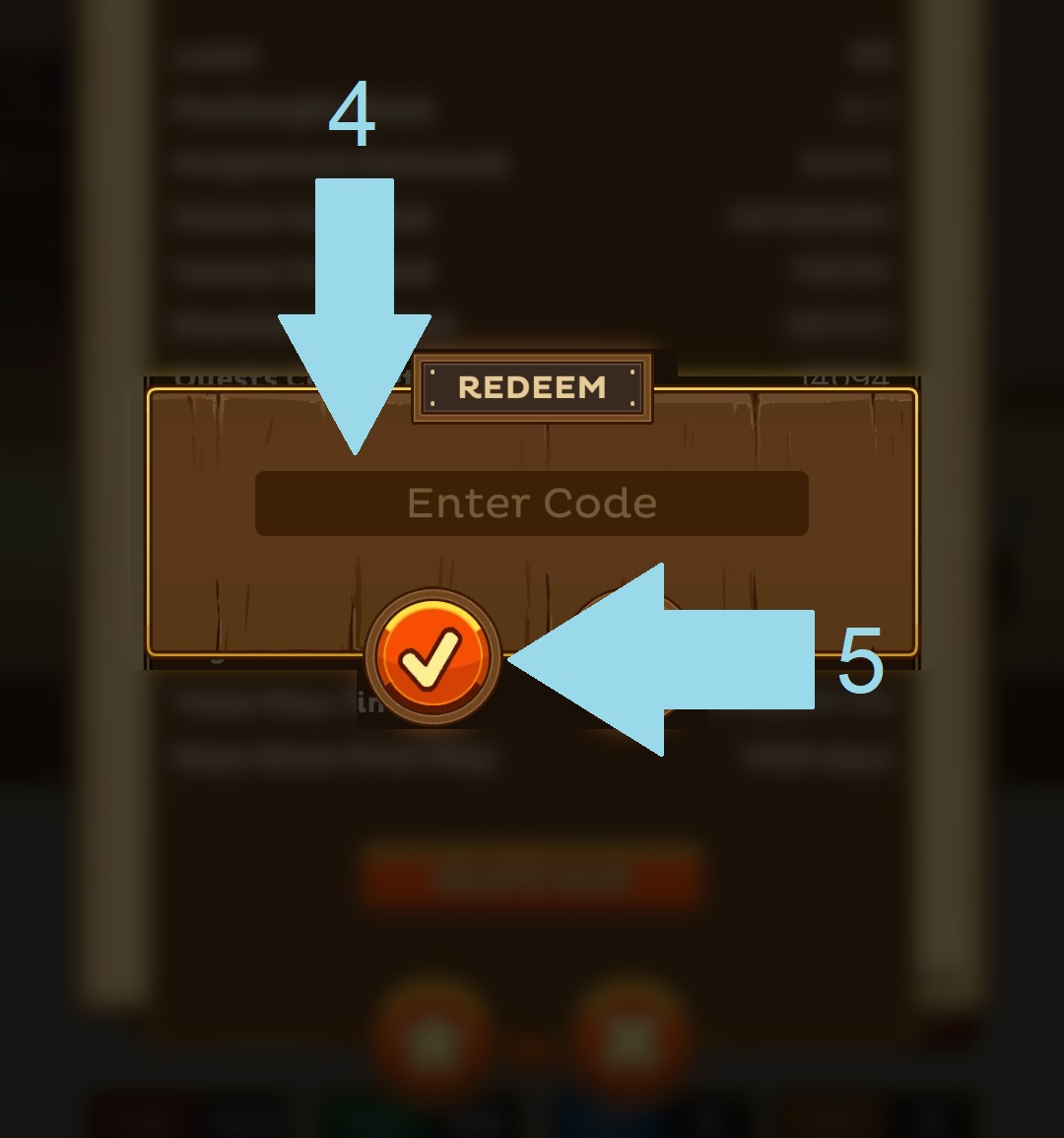
4. Type in the code you were given.
5. Press on the tick button.
6. You will then receive all your rewards. Enjoy!
If a code you were given is not working, please do not hesitate to drop us a ticket to report this.
Related Articles
Postknight: How do I increase my Postknight rank?
To increase your Postknight rank, you must earn tokens to prove your capabilities as a Postknight! You can earn tokens from Delivery Quests, which are available from the mailboxes located in every town: Each Delivery Quest will have a rank displayed, ...Postknight: Transferring Save File
Before you perform the transfer, please make sure that: DO NOT delete/uninstall the game from your current device. This will cause the unsaved progress to be lost forever. You are connected to a stable internet connection. Your Cloud Sync is turned ...Postknight: Purchased items are missing
For consumable items (gems, coins, etc), please follow the instructions below: 1. Fill in this form. 2. FORWARD your purchase receipt to support@kurechii.com with the email title: Postknight Missing Purchase Do note that we do not entertain ...Postknight: How do I acquire new potions?
As you journey along through your adventure as a Postknight, you might start to require better potions to increase your survivability in the field. New potions can be acquired from the merchants in some of the towns. Just keep an eye out for them, ...Postknight: How do I change my skills?
You can change your equipped skills by tapping on this book icon at the bottom: It will bring up the skill menu, split between "CHARGE" skill and "SHIELD" skill: You can switch to the desired skill by simply tapping on it. To switch to the "SHIELD" ...