Postknight 2: I didn't receive my purchased items!
If your purchase in Postknight 2 was successful according to App Store/Google Play Store, but you didn't receive your purchased items after the payment verification, then please follow ALL the following steps:
1. You do not need to try purchasing the item again.
2. Check that you have a stable internet connection. If possible, use a stable WiFi connection.
3. Use the in-game Restore Purchase function. If forced to relaunch the game, you will see the following popup right after the game relaunches:
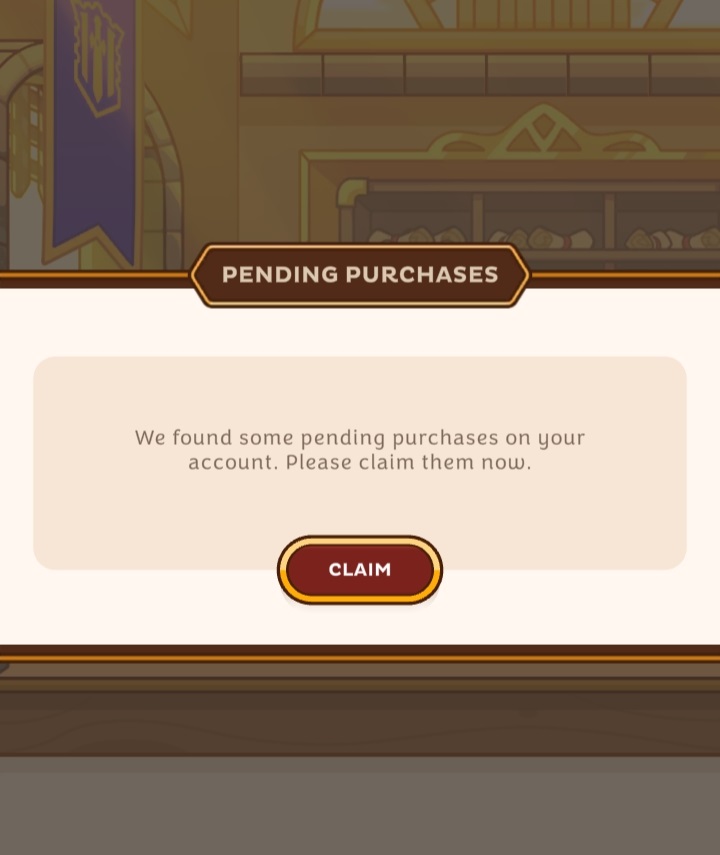 Tap on Claim.
Tap on Claim.4. If the popup does not appear, go to Quick Access > Support >Restore Purchases.
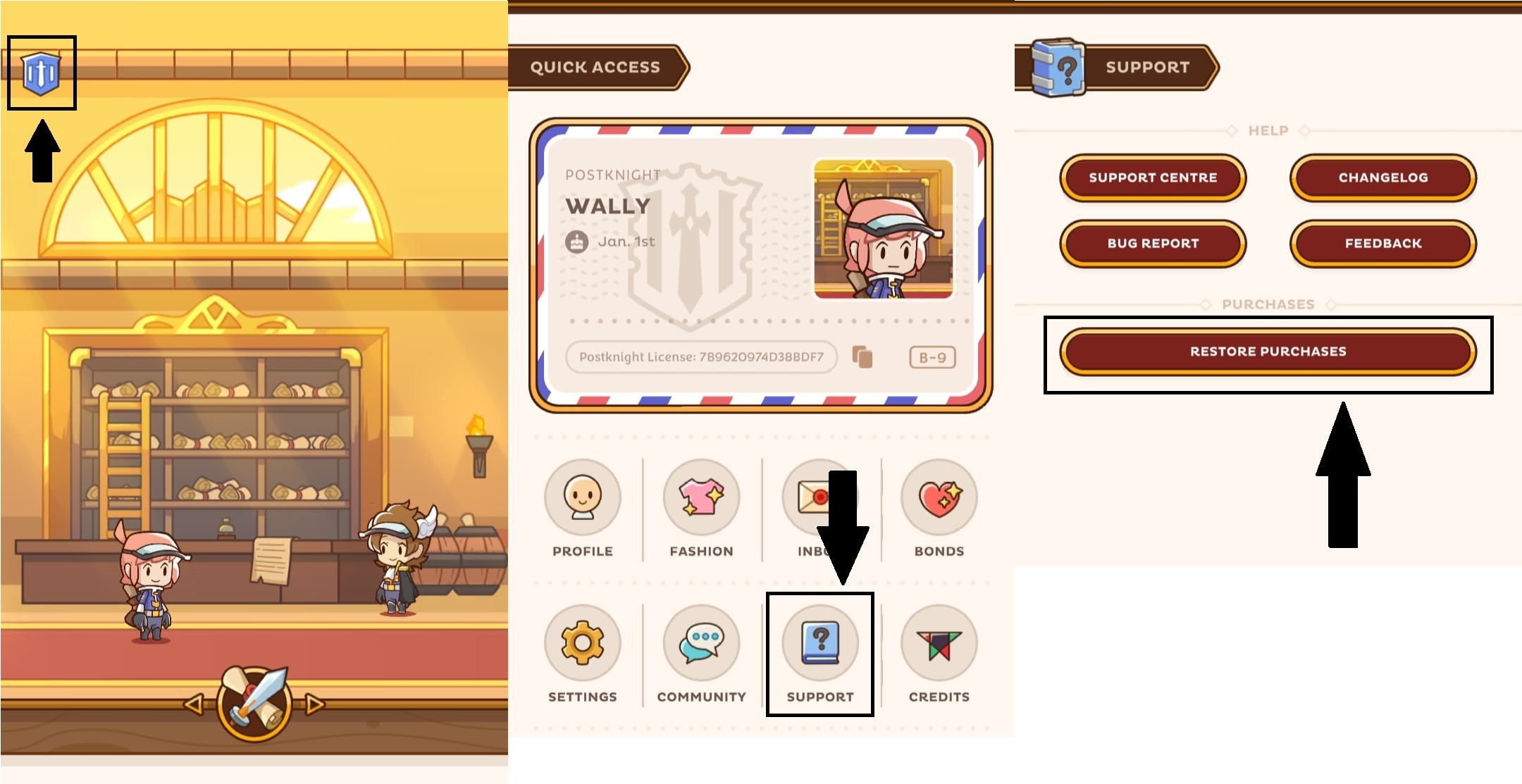
5. If your items still have not been received, please proceed to the steps below.
6. IMPORTANT! FORWARD your purchase receipt email from the App Store/Google Play Store to support@kurechii.com with the email title: Postknight 2: Missing Purchase
- Note: The purchase receipt should be the one sent from the App Store/Google Play Store.
- Please do not send screenshots, but the receipt email itself. We will NOT be able to verify your transaction without the receipt email from the App Store/Google Play.
- If you are unable to find your purchase receipt from the App Store/Google Play Store, please send us a ticket for further instructions.
7. IMPORTANT! Fill out the Missing Purchase Request form.
- Note: We are unable to verify your requests without a complete and correct form submission.
Related Articles
Postknight 2: I couldn't link my account as another account is linked
When you are trying to link your account to your Google Play/Apple ID/Facebook account, but find out that there is already an unwanted account that was linked, we can help to remove the linked account. Please follow the following steps. Before you ...Postknight 2: How to Reset Character Stats
If you wish to reset your character stats, please follow these steps. Note: You will need a Stats Reset Ticket to perform this action. 1. Go to the Character tab at the bottom left corner. 2. Select the round arrow button above your VIT stat.Postknight 2: How to Link your Account
What does Linking your Account do? Linking your account ensures that your progress is tied to your Google Play/Apple ID account, making it simple to transfer progress between devices or to recover your progress in the event that you lose access to ...Postknight 2: How to Transfer Progress between Devices
For best results, please ensure that you have access to both devices. 1. On your old device that you would like to transfer progress from, please make sure that your account is linked by following the steps here: How to Link your Account Note: Please ...